ERC, DRC and parity
Electrical rules, copper clearance, unrouted connections and schematic/PCB parity, verified against kicad-cli.
Tell Claude, Cursor or another AI assistant what the board should do. Crossprobe draws the schematic, places and routes the board, and checks it. You review the draft in your browser, fix what you'd do differently, and export the files to order it.
Works with Claude, Cursor and other MCP clients. Nothing to install, and one board build a day is free. The files open in KiCad, and the editor is open source.
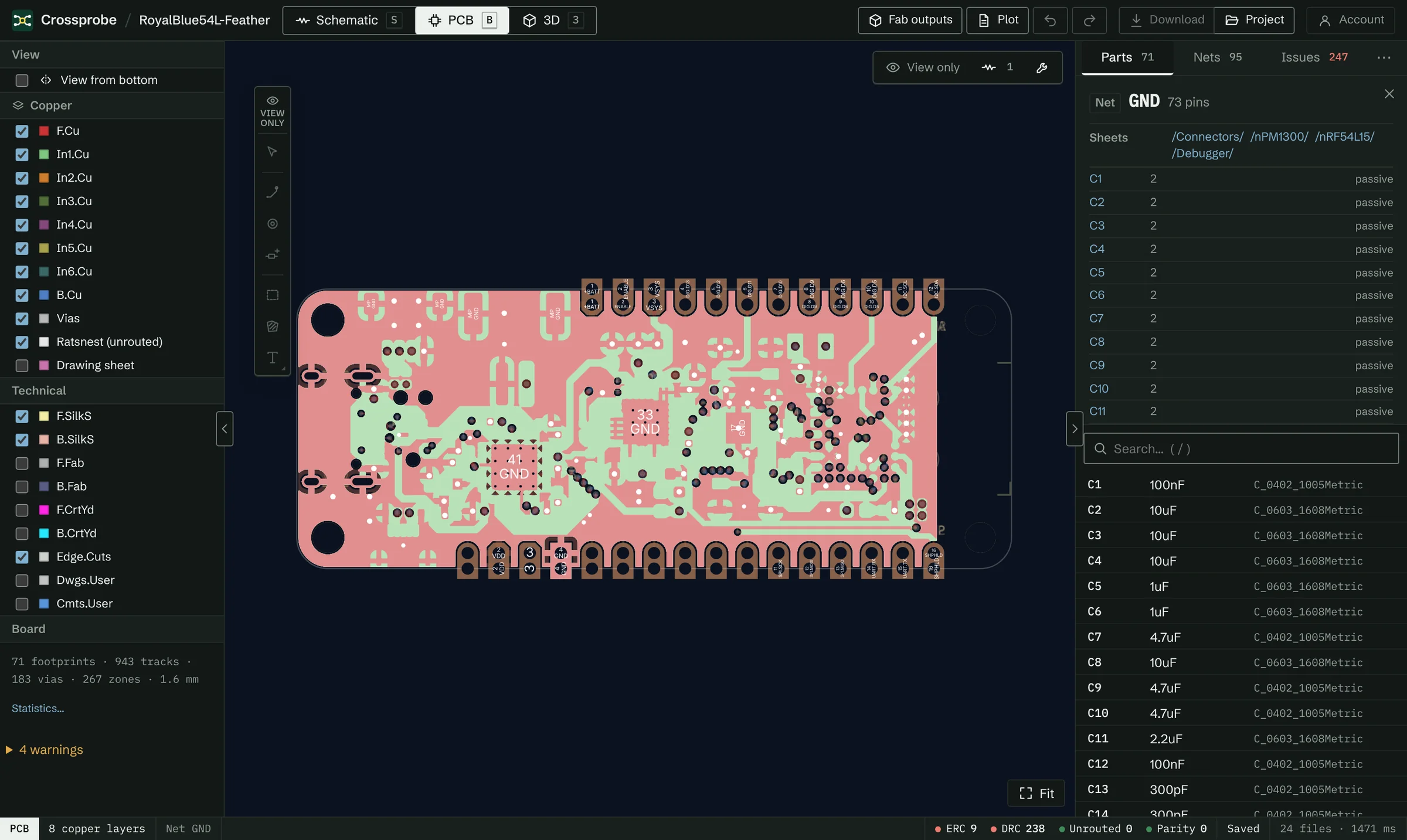
Shown: RoyalBlue54L Feather, a KiCad demo project (CERN-OHL-P), in Crossprobe's board view with the GND net highlighted.
“A USB-C powered ESP32-C3 board with an I²C connector and a status LED, 45 × 35 mm.” Your assistant picks the circuit from reference designs and KiCad's libraries.
Crossprobe draws the schematic, routes the board and runs ERC and DRC. Open it in the browser editor, check it, and change what you'd do differently.
Gerber and drill files are free to export. Send them to your board house, or open the project in KiCad and keep going.
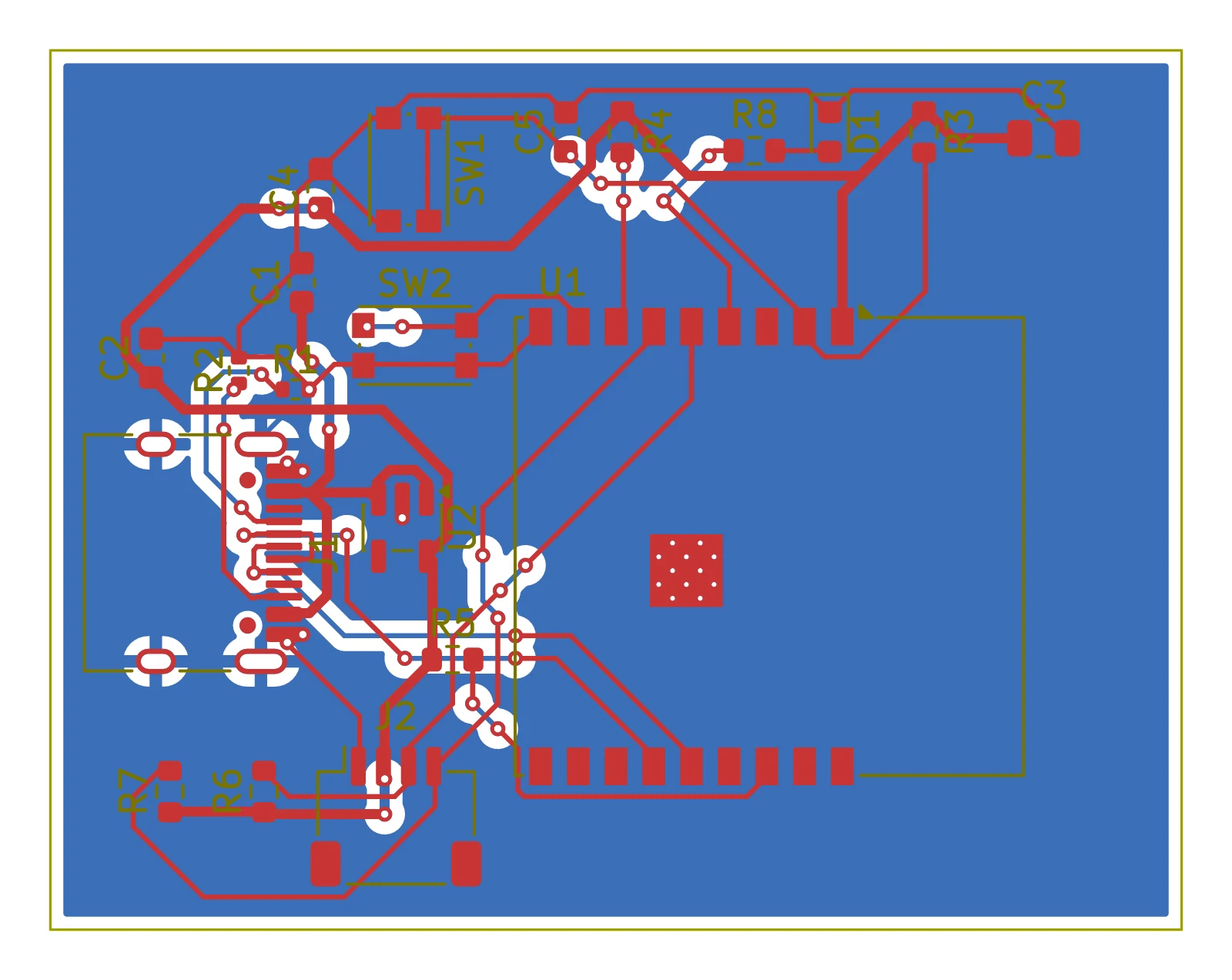
Built from one request: “a USB-C powered ESP32-C3 board with an I²C connector, reset and boot buttons and a status LED, 45 × 35 mm”. 20 parts, 48 connections routed, ERC and DRC clean.
Say what the board should do. Through the MCP server, Claude Code, Claude Desktop, Cursor and other MCP clients pick the circuit, and Crossprobe draws the schematic, places and routes the board, and runs ERC and DRC. You get a KiCad project to review and finish.
The same server answers questions about a project stored in your account: parts, nets, check results and routing. There is nothing to install, and one board build a day is free. For a project that stays on your disk, a local server answers the same questions and writes nothing.
Build a board from requirements
Connect your assistant
The local, read-only server
Connect MCP Or add the address below to your assistant; it asks you to sign in. Setup guide
Run in a terminal, then type /mcp in Claude Code to sign in. Claude Code docs ↗
Command
claude mcp add --transport http crossprobe https://crossprobe.ai/mcpIn Customize → Connectors, choose Add, then Add custom connector. Paste this address, keep Sign in now, and sign in to Crossprobe when Claude asks. Claude docs ↗
Connector address
https://crossprobe.ai/mcpOn the web, open Plugins, choose +, then Add custom MCP server. Paste this address and choose OAuth; it asks you to sign in. (Business and Enterprise plans.) ChatGPT docs ↗
Connector address
https://crossprobe.ai/mcpAdd to ~/.cursor/mcp.json. Cursor asks you to sign in. Cursor docs ↗
mcp.json
{
  "mcpServers": {
    "crossprobe": {
      "url": "https://crossprobe.ai/mcp"
    }
  }
}
Run MCP: Add Server from the Command Palette, choose HTTP and paste the address, or add this to .vscode/mcp.json. VS Code asks you to sign in. VS Code docs ↗
mcp.json
{
  "servers": {
    "crossprobe": {
      "type": "http",
      "url": "https://crossprobe.ai/mcp"
    }
  }
}
Any MCP client with OAuth: give it the address, and it opens Crossprobe to sign in. Other docs ↗
Address
https://crossprobe.ai/mcpYour assistant doesn't edit unseen. It proposes a change, the server tries it on a copy and shows the checks before and after. It is saved as a new revision of the project, and the earlier ones are kept.
U1 pins 12 and 13 (GPIO12, GPIO13) are unused and have no connection. Mark them as intentionally unconnected.
+ no-connect U1.12 GPIO12
+ no-connect U1.13 GPIO13
Rule checks run in the browser as you edit, and your assistant reads the same results through the MCP server. No model is involved in them.
Electrical rules, copper clearance, unrouted connections and schematic/PCB parity, verified against kicad-cli.
Signals that cross from one supply rail to another, and I²C buses without sensible pull-ups.
Compatibility checksWrite the board size, power budget and interfaces once; the design is checked against them.
RequirementsFind the datasheet page that says it, and pin it to the part. Pinned ratings feed the checks.
Datasheet evidenceOpen a project, follow a check result to the part, fix it, and save the KiCad files. The editor follows KiCad's mouse and keys. Keyboard shortcuts
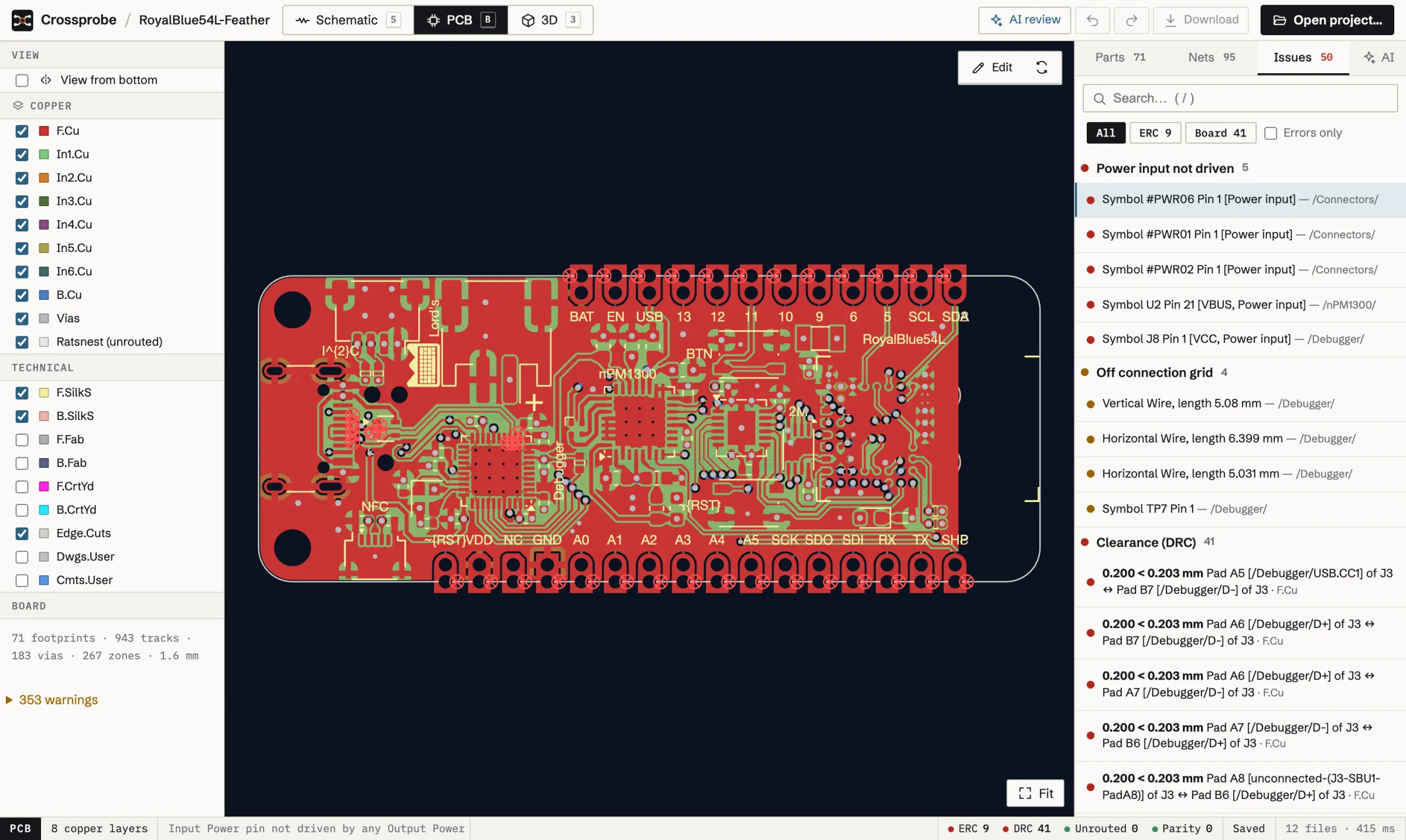
Shown: RoyalBlue54L Feather, a KiCad demo project (CERN-OHL-P). The results are Crossprobe's own ERC and clearance checks, which match KiCad's.
Selecting a reference highlights it on its sheet and on the board, and opens its fields, footprint and every pin with its net. Hierarchical sheets and reused channels keep their own designators.
Shown: StickHub by Stefan Hamminga, a KiCad demo project (GPL-2.0-or-later).
X starts a track with 45° corners, V drops a via, / flips the posture. Clearance DRC runs while you route, and a conflict shows before the track is placed. Routing
Shown: JDM COM84 PIC programmer, a KiCad demo project (GPL-2.0-or-later).
S, B and 3 switch views, and the selection comes along. The 3D view loads the footprints' STEP models. Navigate and cross-probe
Shown: StickHub by Stefan Hamminga, a KiCad demo project (GPL-2.0-or-later).
Minimal systems and power stages in KiCad's design-block format, schematic and layout, with the datasheet page behind every value.
Crossprobe reads and writes KiCad's own file format, tested against KiCad itself. Files you don't change are written back byte for byte, and edits produce minimal diffs you can review in git.
kicad-cliProjects are parsed in a web worker in your browser and stay there, unless you store one in your account. Crossprobe runs no AI model: your assistant's model sees what the tools return. Privacy
A board your assistant builds is a draft to review. Its changes come with the checks before and after, and every save is a revision you can go back from.
Your project stays plain KiCad files in git. Connectivity, ERC and clearance results match KiCad's own, verified against kicad-cli. Specifications
The editor and the checks are free and need no account. So is one board build a day through the MCP server. One plan lifts that for designing with your assistant daily.
The browser editor, ERC, DRC and parity checks and fab outputs are free and need no account. With an account you also get one board build a day through the MCP server, three private stored projects, and public sharing of projects with a link, which is not counted. The Connect plan, €4.90 a month before tax, raises that to 100 builds a day and stores your projects without a fixed limit, under fair use. Pricing
No. Crossprobe is an independent editor that reads and writes KiCad's file format. It is not a version of KiCad and is not affiliated with or endorsed by the KiCad project. Your projects open in KiCad 6 through 10 at any time.
Projects from KiCad 6 through KiCad 10 (.kicad_pro, .kicad_sch, .kicad_pcb), including hierarchical sheets, buses and custom design rules (.kicad_dru).
It can build a first version. You describe the board, your assistant picks the circuit from design blocks and KiCad's libraries, and Crossprobe's MCP server draws the schematic, places and routes a two- or four-layer board and runs ERC and DRC. The result is a KiCad project: a draft to review and finish, not a board to order unseen. One build a day is free. How it works
Yes. The Crossprobe MCP server works with Claude Code, Claude Desktop, Cursor and other MCP clients. It gives them the parts, nets, ERC, DRC and parity results of the projects stored in your account, and the tools to build a board from requirements. There is nothing to install: you give your assistant the address and sign in when it asks. A local server that only reads a project on your disk is there too. Connect your assistant
The one your assistant uses. Crossprobe runs no model itself: the MCP server gives your assistant tools that query a KiCad-exact model of the netlist and board, and tools that build and change a design. Where the model runs is up to your assistant.
Not unless you store a project in your account. A project you open is parsed in your browser and stays there, and the local MCP server only reads the files on your disk. A stored project, or one your assistant builds, is kept in the EU, private to your account, so that the MCP server can work on it. Privacy and data
Yes. A project is plain KiCad files: open a folder from your disk in the browser editor and save back to it, or download a stored project and open it in KiCad. Files you don't change are written back byte for byte.
It works the change out on a copy and sees what it does to the checks. Then it saves it as a new revision of the stored project. The earlier revisions are kept, so you can go back. Proposed edits
No, it runs the same checks. Crossprobe's ERC, copper clearance and schematic/PCB parity results match KiCad's, verified against kicad-cli, and your assistant reads them through the MCP server to triage them or to check its own work.
Not in this release. To have a design reviewed, connect your own assistant through the MCP server, hosted or local, and ask it: it reads the parts, nets, check results and routing. The KiCad design review checklist covers the same ground by hand. The checklist