# Requirements
Write down what the board must do, and Crossprobe checks it against the design by rules, not by a model. An assistant on the MCP server reads the same results through check_requirements.
> **Beta:** Requirements are checked against the design today. Power-budget currents are the numbers you enter, not read from datasheets, and checks backed by pinned datasheet ratings (supply range against operating conditions) are not available yet.
## Results
Each requirement gets one of three results, with the numbers the rule used:
- **pass**: the design meets it.
- **fail**: the design does not.
- **unknown**: the rule could not decide, for example because there is no board file.
Nothing falls back to a guess.
## Add requirements in the app
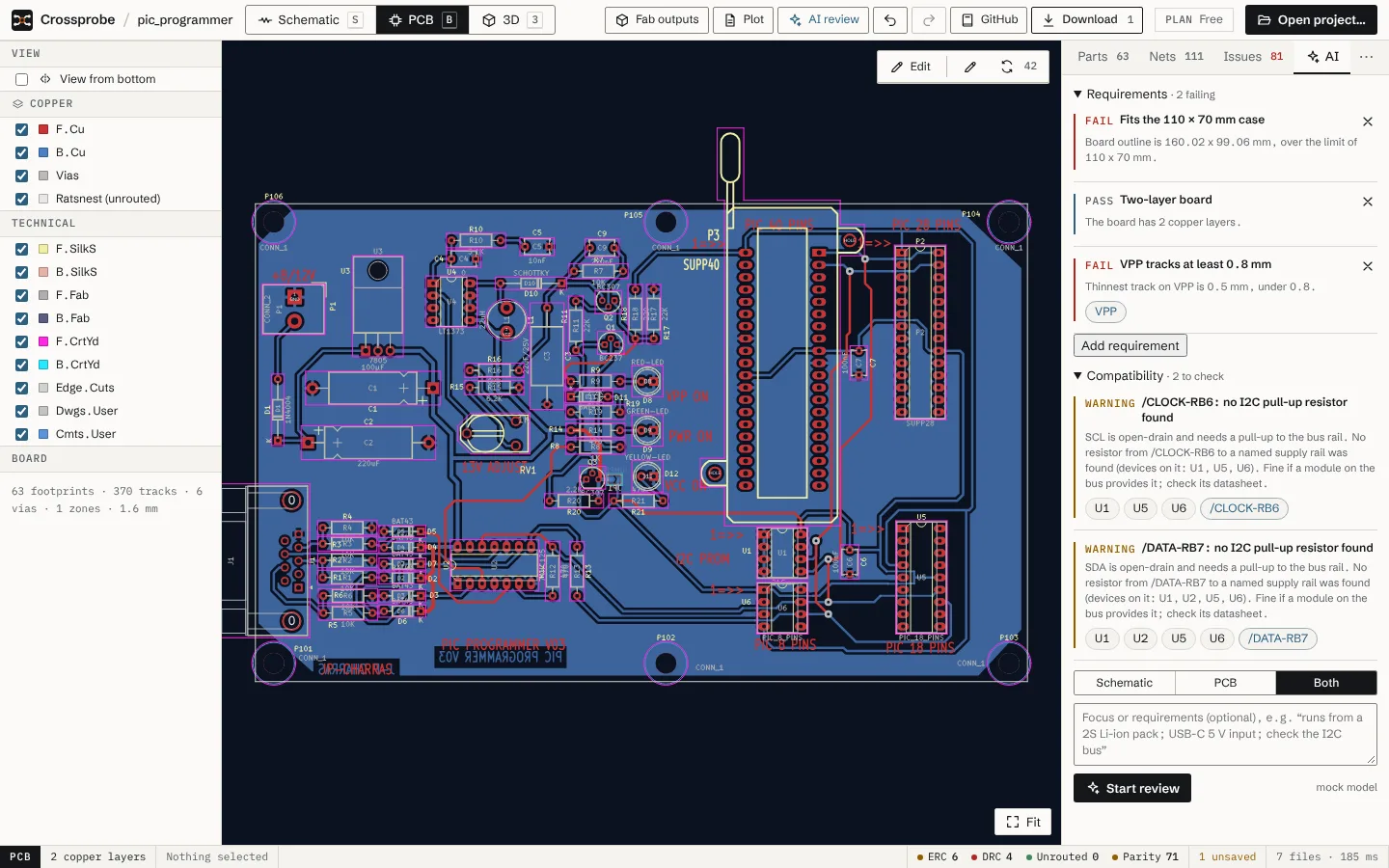
The **Requirements** tab in the inspector has a **Requirements** section. Its heading shows how many are failing, or "all met".
1. Open the **Requirements** tab and expand **Requirements**.
2. Choose **Add requirement**.
3. Pick the kind, give it a title if you like (**Title (optional)**), and fill in its fields.
4. Choose **Add**. The result appears at once and updates as the design changes.
Each result links to the parts and nets it names; choose one to select it in the views. To delete a requirement, use the **Remove requirement** button on it.
## What you can write
| Kind | Name in the editor | Fields |
|---|---|---|
| `board_size` | Board size | Max width (mm), Max height (mm) |
| `board_layers` | Copper layers | Exactly, At most |
| `net_present` | Net exists | Net, Min pins |
| `connector_nets` | Connector nets | Reference, Nets (comma separated) |
| `part_count` | Part count | Matches (value, library or description), At least, At most |
| `power_budget` | Power budget | Rail net, Supply (mA), Loads as max mA per part (`U1:300, U2:50`) |
| `min_track_width` | Min track width | Net, Min width (mm) |
## The requirements file
Requirements are stored next to the KiCad project in `.crossprobe-requirements.json`. The KiCad files stay untouched. You can also write it by hand:
```json
{ "version": 1, "requirements": [
{ "id": "size", "title": "Fits the enclosure", "kind": "board_size", "maxWidthMm": 50, "maxHeightMm": 40 },
{ "id": "usb", "title": "USB data on J1", "kind": "connector_nets", "reference": "J1", "nets": ["USB_D+", "USB_D-"] },
{ "id": "5v", "title": "5 V budget", "kind": "power_budget", "net": "+5V", "supplyMa": 500,
"loads": [{ "reference": "U1", "maxMa": 300 }] }
] }
```
Malformed entries and duplicate ids are dropped when the file is read.
## Through the MCP server
The [MCP server](https://crossprobe.ai/docs/mcp/) offers a `check_requirements` tool that returns these results, so the assistant you use can check requirements on a project, and a board it builds can carry its requirements with it. See the [tools reference](https://crossprobe.ai/docs/mcp/tools/).